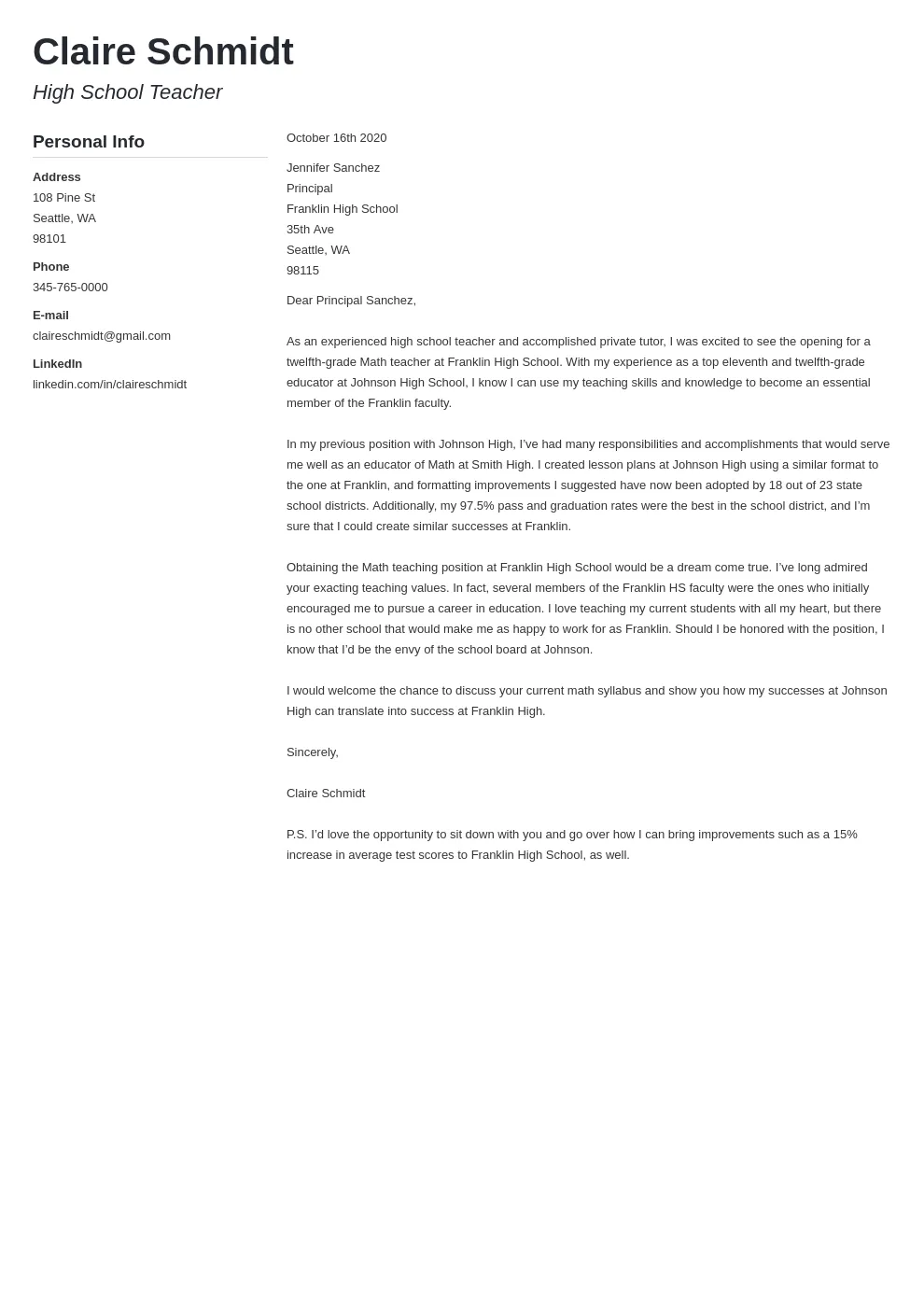
What is a Cover Letter and Why You Need One
A cover letter is a crucial document that accompanies your resume when applying for a job. It serves as your introduction to the hiring manager and allows you to showcase your personality, skills, and enthusiasm for the specific role. Unlike a resume, which provides a factual overview of your experience, a cover letter gives you the opportunity to tell a story. It explains why you’re interested in the position and how your qualifications align with the company’s needs. A well-crafted cover letter can significantly increase your chances of getting an interview, making it an indispensable part of your job application. A strong cover letter complements your resume by providing context and demonstrating your communication skills, enthusiasm, and understanding of the role.
Benefits of Using an Online Cover Letter Maker
Using an online cover letter maker offers numerous advantages, especially for those seeking a quick and professional solution. These tools simplify the cover letter creation process by providing pre-designed templates, guided writing prompts, and formatting options. This saves time and effort, allowing you to focus on the content rather than the design. Moreover, online cover letter makers often incorporate industry best practices, ensuring your letter adheres to standard formats and includes essential elements. The convenience of these tools also allows you to create multiple versions of your cover letter tailored to different job applications. With features like real-time editing and downloadable formats, online cover letter makers make it easy to create polished and professional documents, even with no prior experience in cover letter writing.
Choose the Right Free Cover Letter Maker

Selecting the right free online cover letter maker is essential for creating a document that impresses potential employers. Consider factors such as the variety and quality of templates offered, the ease of use of the interface, and the availability of customization options. Look for platforms that offer templates suited to your industry and experience level. A user-friendly interface will save you time and frustration, while customization options allow you to personalize your cover letter to reflect your unique skills and personality. Check for features like grammar and spell-checking tools and the ability to download your cover letter in multiple formats, such as PDF and Word. Reading user reviews can provide valuable insights into the reliability and effectiveness of different online cover letter makers.
Features to Look for in a Free Cover Letter Creator
When choosing a free cover letter creator, several key features can enhance your experience and the quality of your final document. A wide selection of professionally designed templates is crucial, allowing you to find a style that matches your personality and the job you’re applying for. Editing tools, including grammar and spell checkers, are essential for ensuring your cover letter is error-free. Customization options, such as the ability to change fonts, colors, and layout, let you tailor your cover letter to your preferences. Some platforms also offer helpful writing prompts and suggestions to guide you through the writing process. Additionally, ensure the platform offers options to download your cover letter in formats compatible with most applications, like PDF and DOCX. Consider a cover letter creator with mobile-friendly design.
Step-by-Step Guide to Making a Cover Letter Online
Creating a cover letter online is a straightforward process when you follow a few simple steps. First, select a cover letter maker that suits your needs. Then, choose a template that fits your style and the job description. Next, personalize the template by filling in your contact information, address the hiring manager, and write a compelling opening paragraph that grabs their attention. Highlight your relevant skills and experience, showcasing your achievements with quantifiable results whenever possible. Ensure you close with a clear call to action, expressing your interest in the role and your availability for an interview. Finally, review and edit your cover letter carefully, and download and save it in your preferred format.
Select a Template

The first step in creating a cover letter online is selecting a template that aligns with the job application and your professional style. Consider the industry and the company culture when choosing a template. Some online cover letter makers offer templates designed for specific fields, such as technology, design, or marketing. Opt for a template that is visually appealing and easy to read. The layout should be clean and organized, with clear headings and ample white space. Ensure the template is customizable, allowing you to adjust fonts, colors, and layout to match your personal brand. Always preview the template with your information before committing to it to ensure it presents your skills effectively.
Personalize Your Cover Letter
Personalization is key to making your cover letter stand out from the crowd. After selecting a template, take the time to customize it with your unique details. Start by replacing the placeholder information with your own contact details, including your name, address, phone number, and email address. Tailor the letter to the specific job and company by referencing the job description and highlighting how your skills and experience match their requirements. Address the hiring manager by name if possible; otherwise, use a professional greeting such as “Dear Hiring Manager.” Ensure the content reflects your personality and enthusiasm for the role, making it clear why you’re the ideal candidate. Personalization turns a generic template into a compelling narrative.
Fill in Your Contact Information
Providing accurate and up-to-date contact information is essential for ensuring potential employers can reach you easily. Begin by entering your full name at the top of the cover letter. Follow this with your current address, phone number, and professional email address. Make sure the email address is professional and appropriate for job applications. Including your LinkedIn profile URL can also be beneficial, as it allows employers to quickly access more detailed information about your professional background. Double-check all the details for accuracy before submitting your cover letter. This prevents any missed opportunities due to incorrect contact details, ensuring the hiring manager can easily connect with you if they choose to proceed with your application.
Address the Hiring Manager

Addressing the hiring manager by name personalizes your cover letter and shows that you’ve taken the time to research the company and the specific role. If the hiring manager’s name is available, use it in your salutation, such as “Dear Mr./Ms. [Last Name].” This simple step demonstrates your attention to detail and professionalism. If the hiring manager’s name isn’t available, use a general greeting such as “Dear Hiring Manager” or “Dear [Department Name] Team.” Avoid generic greetings like “To Whom It May Concern,” as these can make your letter seem impersonal. Researching the hiring manager’s name can be done through LinkedIn, the company’s website, or by contacting the company’s HR department.
Write a Compelling Opening Paragraph
Your opening paragraph is your first opportunity to capture the hiring manager’s attention, so make it count. Start with a strong hook that immediately demonstrates your interest in the specific role and the company. Mention where you saw the job posting and briefly explain why you’re excited about the opportunity. Clearly state the position you’re applying for and include a brief, compelling statement about your most relevant skill or accomplishment. Highlight how your skills and experience align with the company’s needs. Keep the opening concise and engaging, aiming to create a positive first impression that encourages the hiring manager to read the rest of your cover letter. A well-written opening paragraph sets the tone for the entire letter.
Highlight Your Skills and Experience
In the main body of your cover letter, it’s crucial to highlight the skills and experience most relevant to the job you are applying for. Review the job description carefully and identify the key requirements. Then, provide specific examples of how your past experiences and skills meet these requirements. Use action verbs to describe your accomplishments and responsibilities, and quantify your achievements whenever possible. For instance, instead of saying, “Managed social media accounts,” you could say, “Managed social media accounts, increasing engagement by 30%.” Tailor your examples to the specific job, focusing on the skills and experiences that are most relevant to the role. This demonstrates your ability to perform the job and showcases the value you can bring to the company.
Showcase Your Achievements

Showcasing your achievements is a vital component of an effective cover letter. Instead of simply listing your job duties, focus on the results you’ve achieved in previous roles. Use quantifiable data to demonstrate the impact of your work, such as percentages, numbers, or specific outcomes. For example, if you increased sales, specify by what percentage or dollar amount. If you improved efficiency, quantify the time or resources saved. Describe the specific actions you took to achieve these results and highlight any challenges you overcame. Demonstrating your achievements provides concrete evidence of your abilities and shows potential employers that you can deliver results. This makes your cover letter more compelling and increases your chances of getting an interview.
Close with a Call to Action
Your closing paragraph should leave a lasting positive impression and encourage the hiring manager to take the next step. Reiterate your enthusiasm for the position and the company. Clearly state your interest in an interview and express your availability. Provide your contact information again for easy reference. Thank the hiring manager for their time and consideration. A strong call to action might sound like, “I am eager to learn more about this opportunity and discuss how my skills and experience align with your needs. I am available for an interview at your earliest convenience.” A well-crafted closing reinforces your interest, making it clear that you’re eager to move forward in the hiring process.
Review and Edit Your Cover Letter
Before submitting your cover letter, thoroughly review and edit it to ensure it’s polished and error-free. Check for any grammatical errors, spelling mistakes, and typos. Proofread the letter multiple times, as it’s easy to miss errors on the first pass. Ensure the formatting is consistent and professional. Read the letter aloud to catch any awkward phrasing or sentences that don’t flow smoothly. Have a friend, family member, or career advisor review your cover letter for a fresh perspective. Ask them to check for clarity, conciseness, and overall impact. A well-edited cover letter demonstrates your attention to detail and professionalism.
Download and Save Your Cover Letter

Once you’re satisfied with your cover letter, download it in a format compatible with your application. The most common formats are PDF and DOCX. PDF files are generally preferred because they preserve your formatting, ensuring your cover letter looks the same on any device. Save your cover letter with a clear and professional file name, such as “YourName_CoverLetter_JobTitle.” This helps the hiring manager easily identify your application. Keep a copy of your cover letter on your computer for future use. Also, consider saving different versions of your cover letter tailored to various job applications, making it easier to quickly customize it for future opportunities. Make sure that the file is accessible in different devices.
Tips for Optimizing Your Cover Letter
Optimizing your cover letter involves several key strategies to increase its impact and ensure it gets noticed. Use keywords relevant to the job description throughout your cover letter. Tailor your letter to the specific job and company, highlighting your most relevant skills and experiences. Proofread the document carefully to eliminate any errors. Keep your cover letter concise and to the point, avoiding unnecessary details. Use a professional and easy-to-read font, and ensure your formatting is consistent. By following these tips, you can create a cover letter that effectively showcases your qualifications and increases your chances of securing an interview. A well-optimized cover letter helps you stand out.
Use Keywords
Incorporating relevant keywords into your cover letter is a crucial aspect of optimizing it for Applicant Tracking Systems (ATS) and human readers. Review the job description and identify the key skills, qualifications, and buzzwords. Strategically integrate these keywords throughout your cover letter, especially in the sections that highlight your skills and experiences. While it’s important to use keywords, avoid keyword stuffing, which can make your letter sound unnatural. Instead, use keywords naturally within the context of your sentences. Focus on using a mix of broad and specific keywords to increase your chances of matching the requirements. This approach not only helps your cover letter pass through ATS filters but also highlights your qualifications to hiring managers.
Proofread Carefully

Proofreading your cover letter meticulously is essential for ensuring it is professional and error-free. Errors in grammar, spelling, and punctuation can damage your credibility and make you appear less qualified. After writing your cover letter, take a break and then review it with fresh eyes. Read the letter aloud to catch any awkward phrasing or sentences that don’t flow smoothly. Use a spell checker and grammar checker tool, but don’t rely on them entirely. Have a friend or career advisor review your cover letter for a second opinion, as they may catch errors you missed. A polished, error-free cover letter demonstrates your attention to detail and professionalism.
Tailor It to the Job
Customizing your cover letter for each job application is a critical step in making it effective. Avoid using a generic cover letter; instead, tailor each letter to the specific job description and company. Research the company and the role to understand their needs and expectations. Highlight the skills and experiences most relevant to the specific job, and explain how you can contribute to the company’s goals. Use the same keywords and phrases from the job description to show that you understand the requirements. Personalize your letter by addressing the hiring manager by name (if available) and referencing the company’s values or recent projects. A tailored cover letter demonstrates your genuine interest in the position and increases your chances of getting an interview.
Best Free Online Cover Letter Makers
Several online cover letter makers provide free, user-friendly tools to help you create professional cover letters. Canva is a popular choice, offering a wide range of customizable templates and design tools. Resume.com is another excellent option, providing a straightforward interface and helpful guidance. Kickresume offers a combination of template selection and AI-powered suggestions to help you write compelling content. Novoresume is known for its modern templates and user-friendly experience. These platforms allow you to create well-designed cover letters quickly and easily, giving you a competitive edge in your job search. Consider exploring each platform to find the one that best suits your needs and preferences.
Canva
Canva is a versatile design platform that offers a wide range of cover letter templates. Its drag-and-drop interface makes it easy to customize the templates to your liking. Canva provides a variety of design options, including different fonts, colors, and layouts, allowing you to create a cover letter that reflects your personal brand. Canva also offers helpful design tips and resources, making it suitable for users of all skill levels. Although there is a premium version with additional features, Canva’s free version provides a comprehensive set of tools for creating professional-looking cover letters. This allows you to create cover letters tailored to different job applications.
Resume.com
Resume.com is a user-friendly platform that simplifies the cover letter creation process. It offers a selection of templates and a step-by-step guide to help you write an effective cover letter. Resume.com provides writing prompts and suggestions to help you articulate your skills and experience. The platform focuses on a clean and intuitive interface, making it easy to navigate and customize your cover letter. You can download your cover letter in a variety of formats, allowing you to easily submit it with your job application. Resume.com is particularly beneficial for those seeking a straightforward and guided approach to cover letter writing.
Kickresume
Kickresume is an innovative platform that combines template selection with AI-powered writing assistance. It offers a range of professionally designed templates and provides intelligent suggestions to help you craft a compelling cover letter. Kickresume’s AI tools analyze your resume and the job description to offer tailored recommendations, helping you highlight the most relevant skills and experiences. The platform also includes a grammar and spell checker to ensure your cover letter is polished. Kickresume provides a user-friendly experience, making it a great choice for those who want a blend of template customization and AI-driven support in the cover letter creation process.
Novoresume
Novoresume is known for its modern and stylish cover letter templates. The platform offers an intuitive interface and a range of customization options, allowing you to create a visually appealing and professional cover letter. Novoresume provides helpful guidance throughout the writing process, including tips on how to structure your letter and highlight your achievements. It allows you to download your cover letter in PDF format, making it easy to share with potential employers. Its clean design and user-friendly features make Novoresume a great choice.
Conclusion
Creating a cover letter online for free has never been easier, thanks to the availability of user-friendly tools and resources. By following the steps outlined in this guide, you can create a compelling cover letter that showcases your skills, experience, and enthusiasm for the job. Remember to choose the right cover letter maker, personalize your letter, optimize it for keywords, and always proofread carefully. With a well-crafted cover letter, you’ll significantly increase your chances of getting noticed by potential employers and landing your dream job. Take advantage of the free online cover letter makers to present yourself in the best possible light and make a lasting impression on hiring managers. Good luck with your job search!